Hiveclass
The student's webcam becomes a 3D avatar that does the exercise with them — and counts the reps.
The ask
With a whole class, the teacher can't see whether each student actually did the exercise, or did it right. The answer had to fit the school's reality — an ordinary webcam, a browser, no sensor or app to install. Brief and client goals as written [to measure].
What the house made
An avatar that moves like the student, inside the platform's task. The task runs in three timed scenes: a video explains the exercise; preparation asks the student to step back until their whole body is in frame, calibrates, and waits for the right hand to go up; the demonstration counts reps with live feedback ("EXCELLENT") until the target. Before that came an MVP comparing the student's skeleton with the correct form, plus student and teacher portals.
How it was built
MediaPipe reads 33 body landmarks per frame. A solver turns those landmarks into rotations of a Ready Player Me rig in three.js, with IK, ground contact and jump detection. Each exercise is a phase machine: in jumping jacks, arms up and legs apart is one phase, arms down and legs together the other, and a rep only counts on the full cycle, with thresholds tuned by hand (arms 0.05, legs 0.12). The base was the open-source Mesekai project [to measure: licence].
Measured
The 16-rep count is the 2025-05-27 test, a single person on a webcam; the 10/10 is the 2026-05-13 screen recording. Accuracy across students, ages, rooms and lighting, and use in real classes [to measure].
Screens
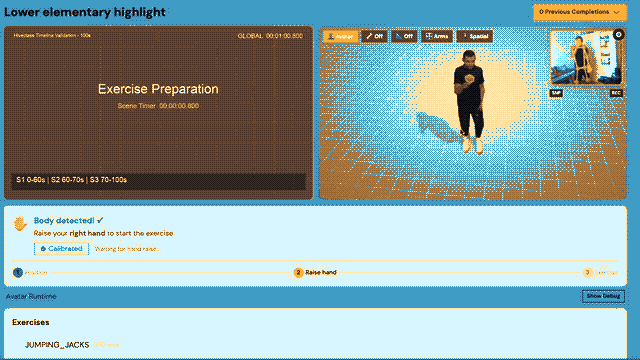
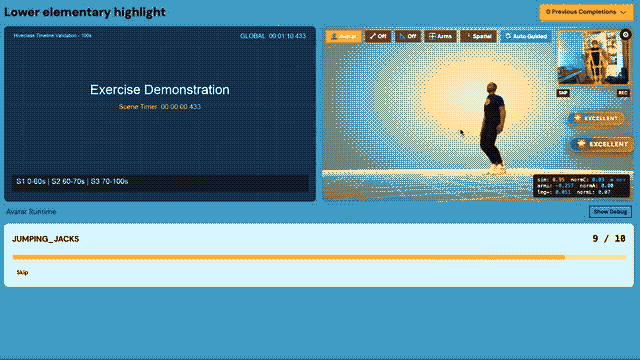
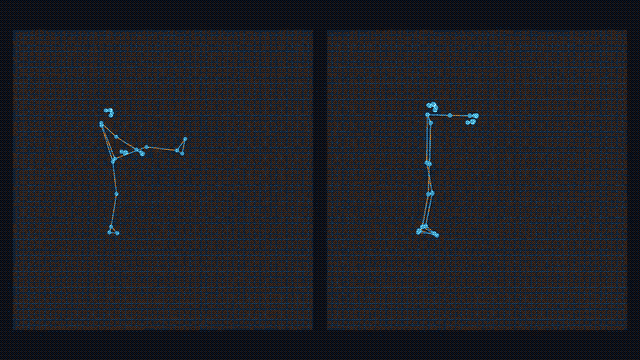
Special · Custom Interactive Video Player
The problem
An accessibility audit found that the video controls could not be reached with Tab: the Cloudflare Stream player lives in a nested iframe. Every lesson in the platform is a video, so it had to be fixed without changing where the videos are stored — and the same player had to become the base for interactive lessons.
The player
The player reads the HLS manifest straight from Cloudflare Stream and plays it in a plain <video> in the page: no iframe to enter or leave. Safari and iOS play HLS natively; the other browsers load hls.js only when a video task opens, and segments only when Play is pressed. If an engine fails before playback, the old iframe comes back. Shortcuts copy YouTube's, the bars follow the W3C slider pattern ("1 minute 23 seconds of 2 minutes 39 seconds"), letters work only with focus in the player (WCAG 2.1.4), and changes are announced to the screen reader. A switch per client group turns it on or off with no deploy.
The interactive layer
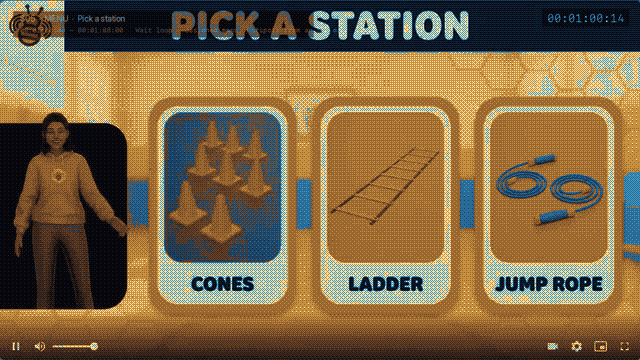
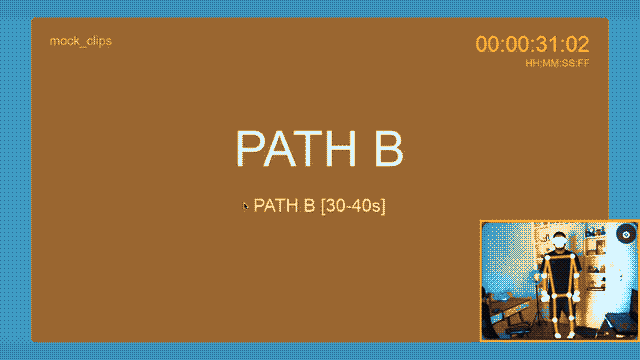
A story is one long video plus a timeline of interactions: choice (2 to 4 answers, each jumps to a part), menu (clickable areas drawn over the frame), quick time event (act before the timer: one part on success, another on fail), quiz (the task's own questions, counted in the grade), jump and ending. While waiting for an answer, a stretch of the video loops. With the camera on, MediaPipe turns the body into the controller. In the editor, the author pauses the video and adds the interaction at that moment; menu hotspots come from an SVG drawn in Figma, matched by layer name.
The demo story (Field Day Warm-Up) was made to test the player: scenes generated in Gemini and Google Vids, with the timeline and the scene sheet generated from the same table. QA on real devices in BrowserStack, from iOS 15 to 18, iPadOS, Android, ChromeOS, Windows and macOS. Results across schools and students [to measure].
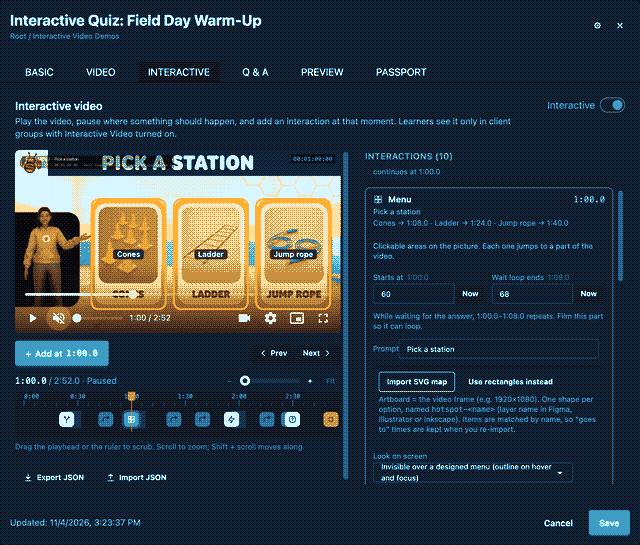
Credits
Development: Nilo River. Client: Hiveclass. Avatar: Ready Player Me. Pose: MediaPipe (Google). Base code: Mesekai (open source). Player demo scenes: Gemini (Nano Banana) and Google Vids. Hiveclass team and other credits [to measure]